Field service

Field mobility built around the complete service visit

Equip field teams for work orders, navigation, parts, barcode capture, photos, signatures and offline application use.

Plan a pilot

Operational challenge

Build around the real work.

A field device must sustain the application, network, camera, scanning, navigation and battery load of a full route while remaining supportable across regions and vehicle setups.

  • Keep work orders and evidence available at the point of service
  • Reduce failed visits caused by device or connectivity gaps
  • Standardize vehicle, charging and carry configurations
  • Validate offline recovery and synchronization behavior

Workflow map

Connect each task to a reliable capture step.

01

Dispatch and travel

Receive assignments, navigate, communicate and retain work data through network changes.

02

Service execution

Identify assets, follow procedures, capture measurements and consume parts.

03

Completion

Record photos, signatures, status, exceptions and proof of service before synchronization.

Practical guide

How to turn the workflow into a deployable system.

Use these steps to structure discovery, application validation and the pilot before committing to a volume device order.

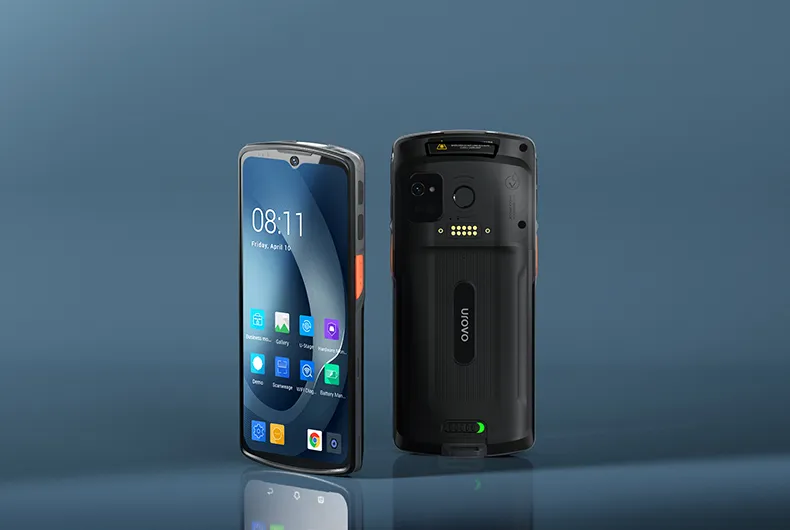
UROVO DT66 enterprise handheld for connected field service work
Route and connectivity

01 / Route and connectivity

Test the field application where coverage changes, not only in the office.

A field visit may cross Wi-Fi, strong cellular, weak cellular and no coverage. The application should retain the work order and essential reference data, identify what can be completed offline and show which evidence is still waiting to synchronize. Authentication expiry must also be tested during a long route.

Confirm the exact regional radio configuration before ordering. A model family name does not prove that every cellular band, SIM option or certification is available in every country. Use a representative route to test connection recovery, GNSS, maps and attachment upload together.

Confirm during discovery

  • Target-country radio and certification scope
  • Offline work-order access and authentication
  • Queued photo, signature and status uploads
  • Recovery through real coverage transitions
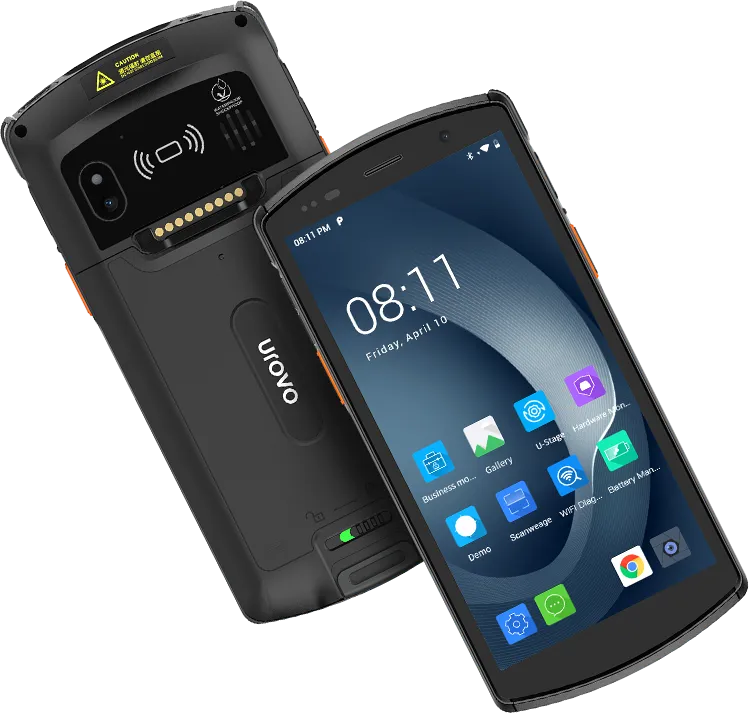
UROVO DT50 mobile computer for field asset and service capture
Point of service

02 / Point of service

Keep evidence capture inside a simple, ordered visit flow.

The technician may need to identify the asset, review history, consume a part, take a photo, record a measurement and collect a signature. Put these actions in a logical order and preserve timestamps and identifiers automatically. Required evidence should be visible before the technician leaves the site.

Test barcode, NFC and camera capture in sunlight, rain-safe working conditions, vehicles and equipment rooms. A rugged enclosure helps, but the case, hand strap, screen brightness and trigger placement determine whether the device can be used safely while carrying tools.

Confirm during discovery

  • Asset and replacement-part identity
  • Required photos, readings and signature
  • Outdoor screen and camera behavior
  • Safe carry, case and vehicle-mount setup
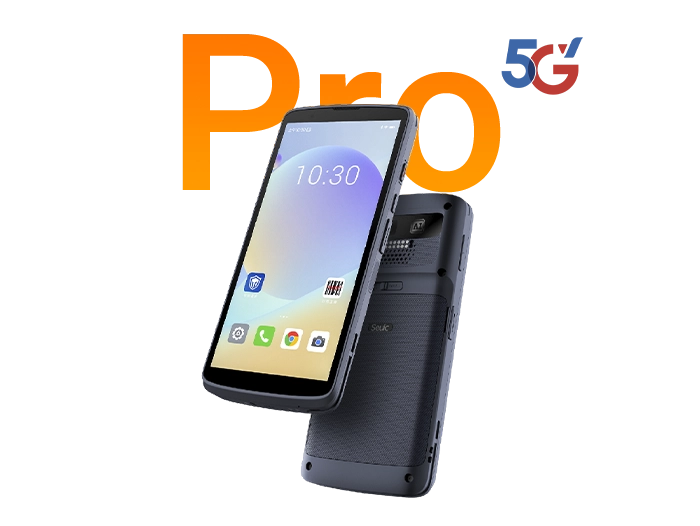
SEUIC CRUISE2 5G Pro terminal for field mobility deployments
Full-day kit

03 / Full-day kit

Measure the whole power load and define replacement support.

Navigation, a bright display, camera use, scanning and poor cellular coverage can consume power together. Run the actual application for a full working day and record the remaining battery at route milestones. Vehicle charging and spare batteries should be chosen from measured use, not a brochure runtime.

Field fleets also need a fast replacement path. Define remote diagnostics, user-safe recovery, spare allocation and how a replacement receives the correct apps and data. Include accessories in the same regional supply plan so a broken mount or charger does not sideline a working device.

Confirm during discovery

  • Battery level across a representative full route
  • Vehicle charging and spare strategy
  • Remote support without exposing user data
  • Replacement enrollment and accessory availability
Required capabilities

Specify what the system must do before choosing a model.

Reliable mobile connectivity

Confirm cellular bands, eSIM or SIM requirements, Wi-Fi and offline operation by country.

All-day operation

Test the application, screen, GNSS, camera and network load against actual route length.

Field-ready capture

Validate barcode, NFC, camera and signature workflows in outdoor and vehicle conditions.

Managed support

Plan remote diagnostics, application updates, replacement units and regional accessory supply.

Software and deployment

Keep hardware, application and operations in one scope.

  • Field-service management, CRM and work-order applications
  • GNSS, camera, barcode, NFC and signature capture
  • Offline records, conflict handling and synchronization
  • MDM, remote support and staged application release

Starting configurations

Products to include in the first shortlist.

These are practical starting points, not automatic recommendations. RuggedLayer confirms the best fit against the application, environment and target market.

UROVO DT66 enterprise mobile computer, front and rear views

UROVO / Enterprise mobile computer

DT66

Full-touch 5G-capable platform for modern field applications.View product details
UROVO DT50 rugged handheld computer, front and rear views

UROVO / Rugged handheld computer

DT50

General-purpose rugged handheld with a replaceable-battery option.View product details
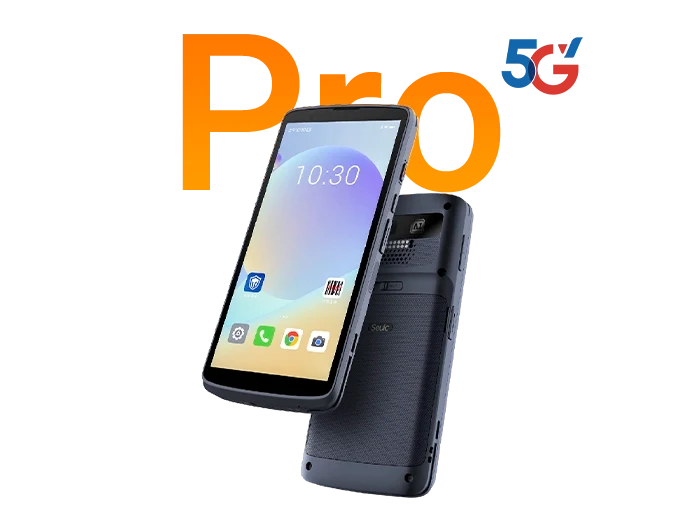
SEUIC (Dongji) CRUISE2 5G Pro touch mobile terminals product image

SEUIC (Dongji) / Touch mobile terminals

CRUISE2 5G Pro

Full-touch 5G terminal option for connected field workflows.View product details

Pilot plan

Validate the workflow before volume deployment.

  1. 01

    Model a real route

    Include travel, weak coverage, outdoor use, vehicle charging and common exceptions.

  2. 02

    Validate the application

    Run the production-like build with authentication, offline data and attachments.

  3. 03

    Measure a full day

    Track battery, connectivity, task completion, thermal behavior and user handling.

  4. 04

    Define the field kit

    Confirm device, case, mount, charger, spare policy and replacement workflow.

RuggedLayer Application Validation

Turn this workflow into a device and pilot plan.

Share the application, environment, country, capture requirements and expected volume with RuggedLayer.

Plan a pilot